I posted recently about the usage of APEX collections, a generic structure in APEX that lets you easily store a set of results without having to create a table in advance. It’s easy to use and useful but I think it may have fallen into overuse.
Good friend Jon Dixon replied on my post saying he likes APEX collections but he would like to have more numeric columns and perhaps a timestamp column because as I pointed out in my original post once you start mix and matching data types you can create all sorts of problems for yourself.
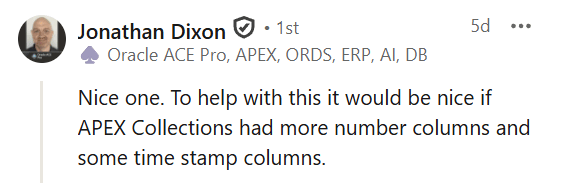
I headed over to the APEX Ideas page and you can see this is a common theme. There have been lots of people over the years requesting additional columns on the APEX Collections table.

I can see the appeal but I honestly think that people may have become over-dependent on using APEX Collections. There are probably two common use cases for storing data in a collection. The most common one I would say is a static result set. It’s built via code, the list of columns that you intend to store is fixed, and you know them in advance. That is, at application build time you know that you’ll be storing a known set of columns each with data types which are well known. There’s a name for that structure. It’s called a standard database table :-). There really isn’t a need for collections for that. I’ll come back to this shortly.
The other use case is perhaps a more valid one for APEX collections and that is you have a truly generic structure that is unknown at design time. For example, you might present a set of data to a user as a pick-list, and not only can they pick a the rows they want, but also pick the columns they want to store as well. In that instance, you don’t know what columns need to be stored and therefore a APEX collection gives you that nice generic capability. However, even in that case, I’d probably argue nowadays that you could probably do just as good a job storing that data in a JSON document. It gives the flexibility of collections and you still have the ability to cast various attributes into the right data types, etc using statements such as JSON_TABLE and the like. But I’d contend that this particular totally generic situation is fairly niche. So I’m going to focus on the fixed columns example.
When it comes a known set of column, my question is “Why use APEX collections for that?” Because the moment you head down that path, by definition, you’re going to be compromising on data types. For example, even though you have VARCHAR2 columns they are sized at the maximum allowable to cater for all possible string sizes. The NUMBER precision is also loose. You don’t get all of the available Oracle data types, and as John helpfully pointed out, you don’t get many DATEs. Moreover, the column names are generic – you don’t get the column names you would choose to have. Much better in my opinion is to actually build your own table that accurately matches the data you want to store. Many collections are typically sourced from a query, and those queries come from real tables in your database. So why not build your collection table as a custom table which maps to the correct data types that have come from the source data?
There’s probably three common pushbacks to the approach in terms of building your own custom tables to store these session level result sets in APEX.
1) Too many tables in the schema
The first one is “I don’t want to have too many tables in my database.” That really doesn’t hold up because there is no practical limit to the number of tables in an Oracle database. When I say practical, I think it’s in the 2 billion range, but if you’ve got 2 billion tables in your database, then I think APEX Collections isn’t your problem. You’ve got some database design skills to brush up on 🙂
But just to prove it, I created a little autonomous database and simply set an endless loop going creating tables, and stopped it after a few hours.
SQL> begin 2 for i in 1 .. 1000000 loop 3 execute immediate 'create table t'||i||'(c int)'; 4 end loop; 5 end; 6 / SQL> select count(*) 2 from dba_tables; COUNT(*)---------- 1040388
And as you can see, the database is quite happy supporting one million tables. Given that a fully blown installation of one of the most complex applications on the planet, Fusion applications, has in the order of tens of thousands of tables. I don’t think getting to a million tables is going to be an issue for you anytime soon.
2) Permission to create tables
The second reason is people say, “Well, if I have to create tables to mimic that of collections, then it’s hard for me to get tables created. I have to liaise with the DBA and create change records etc etc” That is not necessarily an APEX collections issue and I don’t think a justification for using APEX collections. This is a process issue. This is an issue where you’ve got a friction point between the people that develop applications on your database and the people that administer the database who control the access rights to creating tables. Even if you revert to using APEX collections, you are effectively ignoring the root cause, which means you’re going to have ongoing problems with process and flexibility when it comes to building applications. Because if you can’t create tables easily and fluidly, then it’s just going to slow you down in all circumstances.
3) Session / Workspace management
The final reason and perhaps only truly valid reason is that APEX collections handle all the access control management. That is, if I’m in one workspace then I can’t see other people’s collections. Similarly, if I’m in one application I can’t see another application or sessions collections etc.
But it is easy to do that ourselves. If we take a look at the view definition for APEX_COLLECTIONS, once we dig through the synonyms and the like, you can see that ultimately every collection is predicated on the workspace, the application, and the session.
create or replace view apex_260100.wwv_flow_collections asselect ... from wwv_flow_current_sgid_for_dml sgid, -- my workspace wwv_flow_collections$ c, wwv_flow_collection_members$ mwhere c.session_id = (select v('session') from sys.dual) -- my session and c.security_group_id = sgid.security_group_id and m.security_group_id = sgid.security_group_id and c.id = m.collection_id and c.flow_id = (select nv('flow_id') from sys.dual) -- my app
But we have access to that information already using the APEX$SESSION context variable. Thus, it’s trivial for us to build our own version of a collection using a custom table with the exact data types we require and still have the same workspace application and session predicates available to us.
Let’s do a worked example where the collection we want is a copy of the SCOTT.EMP table. Rather than use APEX Collections with its arbitrary string, number and date data types, the first thing I’ll do is I’ll take a copy of the table into my own table, and in order to mimic the collection functionality, I’ll simply add three columns, a workspace column, an application column and a session column.
SQL> create table scott.my_emp_collection as 2 select 0 workspace_id, 0 app_id, 0 session_id, e.* 3 from scott.emp e 4 where 1=0;Table created.
Now I can use defaults to instantiate those to the current workspace application and session ID.
SQL> alter table scott.my_emp_collection 2 modify workspace_id default on null 3 sys_context('APEX$SESSION','WORKSPACE_ID');Table altered.SQL> alter table scott.my_emp_collection 2 modify app_id default on null 3 sys_context('APEX$SESSION','APP_ID');Table altered.SQL> alter table scott.my_emp_collection 2 modify session_id default on null 3 sys_context('APEX$SESSION','APP_SESSION');Table altered.
Even nicer I can make those columns invisible which means even though I’m going to guarantee I can only see my own session’s data, I never have to actually worry about seeing that information when I query my data. It would just look like a standalone version of the employee table.
SQL> alter table scott.my_emp_collection 2 modify workspace_id invisible;Table altered.SQL> alter table scott.my_emp_collection 2 modify app_id invisible;Table altered.SQL> alter table scott.my_emp_collection 2 modify session_id invisible;Table altered.
Now to make sure that I can only see my own rows, I can do that simply with a row-level security policy. I’m simply going to add a predicate for all DMLs, insert, update, delete and select. And then I add a predicate which accesses the APEX$SESSION context variable. This guarantees that no matter what DML I do, I will always have the predicate of limiting my visibility to the correct workspace and the correct application and the current session.
SQL> create or replace 2 function scott.collection_policy 3 (user_name in varchar2,tab_name in varchar2) 4 return varchar2 is 5 begin 6 return 7 q'{ workspace_id = to_number(sys_context('APEX$SESSION','WORKSPACE_ID')) 8 and app_id = to_number(sys_context('APEX$SESSION','APP_ID')) 9 and session_id = to_number(sys_context('APEX$SESSION','APP_SESSION')) 10 }'; 11 end; 12 /Function created.SQL>SQL> grant execute on scott.collection_policy to public;Grant succeeded.SQL>SQL> begin 2 sys.dbms_rls.add_policy( 3 object_schema => 'scott', 4 object_name => 'my_emp_collection', 5 policy_name => 'collection_policy', 6 function_schema => 'scott', 7 policy_function => 'collection_policy', 8 statement_types => 'select,insert,update,delete', 9 update_check => true 10 ); 11 end; 12 /PL/SQL procedure successfully completed.
We can now test that a query to our table is bound by these rules:
SQL> variable c clobSQL> begin 2 dbms_utility.expand_sql_text( 3 'select * from scott.my_emp_collection',:c); 4 end; 5 /PL/SQL procedure successfully completed.SQL> print cC------------------------------------------------------------SELECT "A1"."EMPNO" "EMPNO","A1"."ENAME" "ENAME","A1"."JOB""JOB","A1"."MGR" "MGR","A1"."HIREDATE" "HIREDATE","A1"."SAL" "SAL","A1"."COMM" "COMM","A1"."DEPTNO" "DEPTNO" FROM (SELECT "A2"."WORKSPACE_ID" "WORKSPACE_ID","A2"."APP_ID" "APP_ID","A2"."SESSION_ID" "SESSION_ID","A2"."EMPNO" "EMPNO","A2"."ENAME" "ENAME","A2"."JOB" "JOB","A2"."MGR" "MGR","A2"."HIREDATE" "HIREDATE","A2"."SAL" "SAL","A2"."COMM" "COMM","A2"."DEPTNO" "DEPTNO" FROM "SCOTT"."MY_EMP_COLLECTION" "A2" WHERE "A2"."WORKSPACE_ID"=TO_NUMBER(SYS_CONTEXT('APEX$SESSION','WORKSPACE_ID')) AND "A2"."APP_ID"=TO_NUMBER(SYS_CONTEXT('APEX$SESSION','APP_ID')) AND "A2"."SESSION_ID"=TO_NUMBER(SYS_CONTEXT('APEX$SESSION','APP_SESSION'))) "A1"
If you’re using Standard Edition, you don’t get access to Row Level Security, but this is just as easy to do. You would simply have a wrapping view-with-check-option around your table and the view would contain the predicates and similarly to the invisible columns, simply omit the workspace application and session columns.
Similarly, we want to ensure that query performance to our collection is fast, and since we know that every query will have the 3 APEX$SESSION predicates, the index columns are self-evident.
SQL> create index scott.my_emp_collection_ix 2 on scott.my_emp_collection 3 (workspace_id, app_id, session_id) compress 2;Index created.
The beauty of our own table is that we could choose to add more indexes, partition it, or take advantage of any of the myriad of cool Oracle Database features available.
I would contend this is now actually easier than using an APEX collection because I have full access to my table and I can use all the normal DML facilities. I can insert into it, I can update it, there’s no API calls etc. And even better is all the data types and colon names are exactly as I desire as opposed to generic names from APEX_COLLECTIONS.
One other thing we probably need to inherit from standard APEX collections is the ability to clean up our data when our session has completed. This is also fairly easy. All you need to do is create a simple PL/SQL procedure (and run it from an appropriate admin account) so that it can see all APEX sessions in your instance.
SQL> create or replace 2 procedure cleanup(p_action varchar2 default null) is 3 begin 4 if p_action is null then 5 delete from scott.my_emp_collection 6 where session_id not in ( 7 select apex_session_id 8 from apex_workspace_sessions ); 9 commit; 10 elsif upper(p_action) = 'SCHEDULE' then 11 dbms_scheduler.create_job ( 12 job_name => 'REGULAR_COLLECTION_CLEANUP', 13 job_type => 'PLSQL_BLOCK', 14 job_action => 'begin cleanup; end;', 15 start_date => SYSTIMESTAMP, 16 repeat_interval => 'FREQ=DAILY;BYHOUR=20;BYMINUTE=0;BYSECOND=0', 17 enabled => TRUE 18 ); 19 elsif upper(p_action) = 'UNSCHEDULE' then 20 dbms_scheduler.drop_job ( 21 job_name => 'REGULAR_COLLECTION_CLEANUP', 22 force => TRUE 23 ); 24 else 25 raise_application_error(-20000,'Yeah that ain''t right'); 26 end if; 27 end; 28 /Procedure created.
Similar to the standard APEX Collections purge job, all I need to do is delete any rows from my custom collection table where the session no longer exists in APEX_SESSIONS. I’ve also built a little bit of extra logic in my PL/SQL procedure here, which means it’s self-contained in that it also included the ability to schedule and un-schedule a job to run the clean up using the database scheduler.
So to wrap it up, I think APEX Collections are still a nice facility and perhaps still needed for those totally generic requirements where you don’t know what columns a end user may select in advance to store in a collection. But for many cases, I think you’re better off using your own custom tables. You’re going to get better data type control, better control over the table itself. You could, for example, add indexes, compression, virtual columns, etc. And of course, because it’s a standalone table, it can have its own optimizer statistics on it. The likelihood of getting query performance problems or query regressions against a custom table is going to be lower than an APEX Collections, which serves the needs of multiple users running multiple applications in multiple workspaces each with an arbitrary set of columns being used.



Leave a Reply