I got a nasty shock this morning when I fired up my local Application Expression installation.
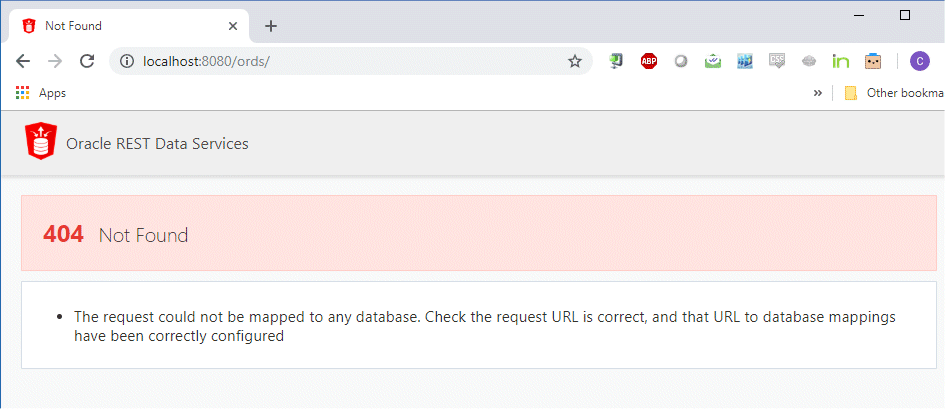
It had been working fine and all of a sudden…just dead. I sounded like all of those family members that as I.T practitioners we have to deal with (and that we’re so sceptical of) when they say: “I didn’t change anything…it just stopped!” 
In keeping with the treatment of family members, I then adopted the advice that I normally give them first.

and upon restart, I saw the following during the startup
C:\oracle\ords181>java -jar ords.war standalone
2019-01-11 11:47:36.071:INFO::main: Logging initialized @1378ms to org.eclipse.jetty.util.log.StdErrLog
Jan 11, 2019 11:47:36 AM
INFO: HTTP and HTTP/2 cleartext listening on port: 8080
Jan 11, 2019 11:47:36 AM
INFO: The document root is serving static resources located in: C:\oracle\ords181\conf\ords\standalone\doc_root
2019-01-11 11:47:36.409:INFO:oejs.Server:main: jetty-9.4.z-SNAPSHOT, build timestamp: 2017-11-22T05:27:37+08:00, git hash: 82b8fb23f757335bb3329d540ce37a2a2615f0a8
2019-01-11 11:47:36.422:INFO:oejs.session:main: DefaultSessionIdManager workerName=node0
2019-01-11 11:47:36.423:INFO:oejs.session:main: No SessionScavenger set, using defaults
2019-01-11 11:47:36.423:INFO:oejs.session:main: Scavenging every 600000ms
Jan 11, 2019 11:47:37 AM
WARNING: The pool named: |apex|| is invalid and will be ignored: The connection pool named: apex is not correctly configured, due to the following error(s): ORA-28001: the password has expired

Jan 11, 2019 11:47:37 AM
WARNING: The pool named: |apex|al| is invalid and will be ignored: The connection pool named: apex_al is not correctly configured, due to the following error(s): ORA-28001: the password has expired
Since security is our #1 thing for 2019 and probably should be the #1 item on your agenda for 2019, this was caused by some improvements to the Oracle defaults when you perform a database installation. Rather than the default being an “flexible” (aka loose ) policy we used to have when it comes to password management, we’ve gone for some more sensible options out of the box.
SQL> select * from dba_profiles order by 1,2
PROFILE          RESOURCE_NAME                    RESOURCE LIMIT
---------------- -------------------------------- -------- -----------
DEFAULT          COMPOSITE_LIMIT                  KERNEL   UNLIMITED
DEFAULT          CONNECT_TIME                     KERNEL   UNLIMITED
DEFAULT          CPU_PER_CALL                     KERNEL   UNLIMITED
DEFAULT          CPU_PER_SESSION                  KERNEL   UNLIMITED
DEFAULT          FAILED_LOGIN_ATTEMPTS            PASSWORD 10
DEFAULT          IDLE_TIME                        KERNEL   UNLIMITED
DEFAULT          INACTIVE_ACCOUNT_TIME            PASSWORD UNLIMITED
DEFAULT          LOGICAL_READS_PER_CALL           KERNEL   UNLIMITED
DEFAULT          LOGICAL_READS_PER_SESSION        KERNEL   UNLIMITED
DEFAULT          PASSWORD_GRACE_TIME              PASSWORD 7
DEFAULT          PASSWORD_LIFE_TIME               PASSWORD 180
DEFAULT          PASSWORD_LOCK_TIME               PASSWORD 1
DEFAULT          PASSWORD_REUSE_MAX               PASSWORD UNLIMITED
DEFAULT          PASSWORD_REUSE_TIME              PASSWORD UNLIMITED
DEFAULT          PASSWORD_VERIFY_FUNCTION         PASSWORD NULL
DEFAULT          PRIVATE_SGA                      KERNEL   UNLIMITED
DEFAULT          SESSIONS_PER_USER                KERNEL   UNLIMITED
So if you want your APEX public accounts (and I stress, no others!) to have a non-expiring password, then you should create a custom profile for those accounts and assign them accordingly.
create profile no_expire
limit  password_life_time  unlimited;

alter user apex_public_user      profile no_expire ;
alter user apex_rest_public_user profile no_expire ;
alter user apex_listener         profile no_expire ;
alter user ords_public_user      profile no_expire ;
This will ensure you don’t get an unexpected drama next time you want to fire up Application Express.






 Learning is not a spectator sport
Leave a reply to Connor McDonald Cancel reply