Posting this here simply because I constantly forget it 🤣, and end up wasting hours of my life on a trivial thing!
When configuring your APEX workspace to communicate with OpenAI you need to have some credentials. Under Workspace Utilities you’ll see the Credentials option which looks like this:

Anyone using APEX is familiar with “Name” and “Static ID” and some quick Googling will tell you the prefix for OpenAI API calls, so they are easy to fill in.
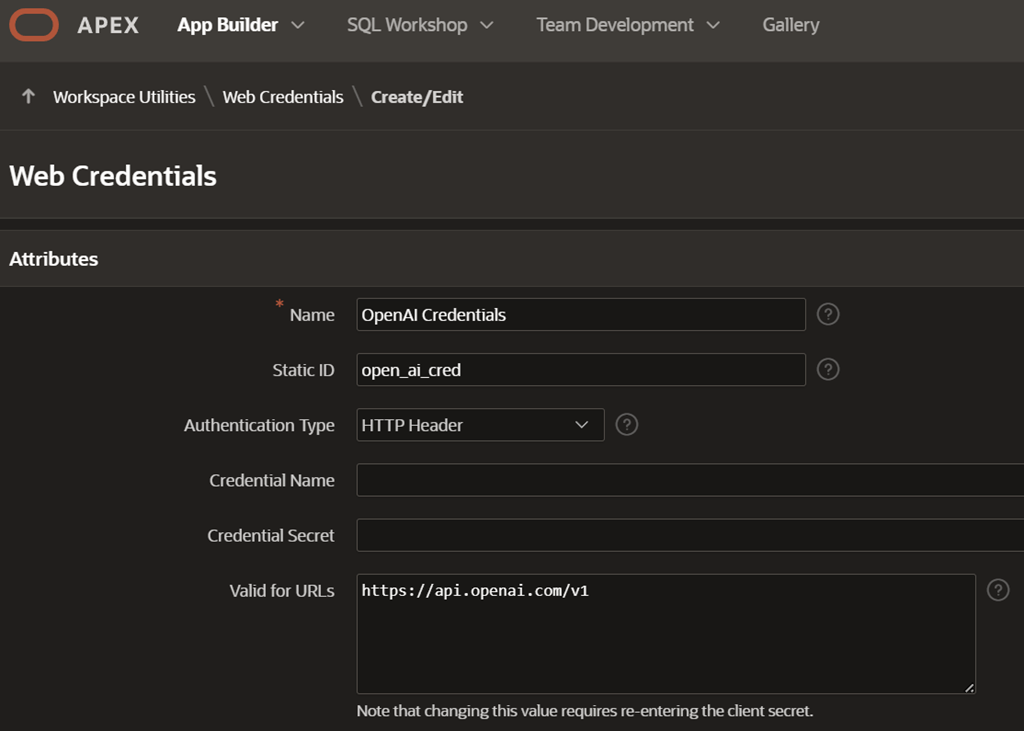
That leaves the “Credential Name” and “Credential Secret” to be entered, and these are the two I always forget.
For “Credential Name”, it is not the same as the name of a credential that you might create in the database using DBMS_CREDENTIAL. In the APEX instance, it will be part of the header information that lets you use your API key in the call to OpenAI, so it needs to be “Authorization”
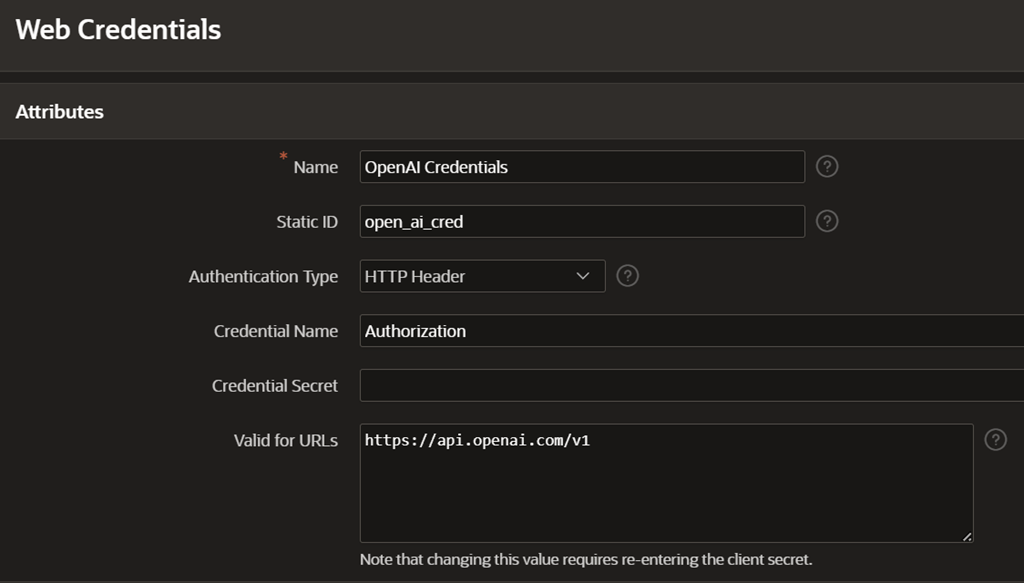
That much I normally manage to remember, but here is the one that always catches me out. You would intuitively think that since
1) You’ve created a secret API key in the OpenAI API admin screen, and
2) There’s a field in the APEX screen called “Secret”
you naturally would just copy/paste the API key into this field, just like below.

However, if you do this, then your calls to OpenAI will just fail with authorization errors when you try to access it from APEX.
(By the way, before you think “Woo hoo, let’s plunder Connor’s OpenAI subscription“, this is not a real API key 🤣)
The solution (and the thing I always forget) is to prefix your secret with “Bearer”, so the secret looks like this:
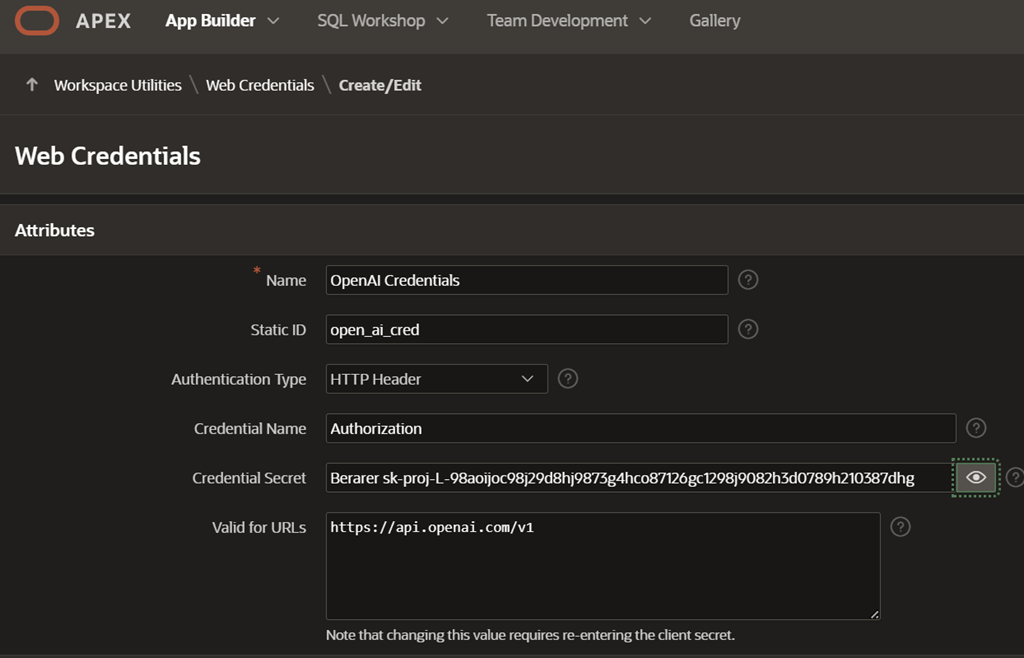
You may be thinking: “Sheesh Connor, how can you forget that? Surely next time you come back into the screen it will be there?” … It is not, because it would not be very secure if we just left API keys visible for all the world to see in the APEX builder, so every time you come into this screen, the “Credential Secret” will always be blank.
So don’t forget your Bearer !






 Learning is not a spectator sport
Leave a reply to aminaa49ed2e27e Cancel reply