I recently posted a video where I explain the difference between UNION and UNION ALL with three aims. It should:
- be educational
- be fun
- be an excuse to get stuck into some candy 🤣
You can watch it below if you haven’t seen it.
Someone from the community reached out to me with the following comment:
“Isn’t this comparison flawed for the union? If bag A is Unioned to Bag B, you get all of Bag A plus the non duplicates from bag B, don’t you? Not just the unique values from each set.”
The easiest way to assess the correctness of this statement is with a simple test:
SQL> create table bag1 ( color varchar2(10));

Table created.

SQL> create table bag2 ( color varchar2(10));

Table created.

SQL>
SQL> insert into bag1
  2  select
  3    case trunc(dbms_random.value(0,4.99999))
  4    when 0 then 'red'
  5    when 1 then 'blue'
  6    when 2 then 'green'
  7    when 3 then 'orange'
  8    when 4 then 'yellow'
  9    end
 10  from dual
 11  connect by level <= 30;

30 rows created.

SQL>
SQL> insert into bag2
  2  select
  3    case trunc(dbms_random.value(0,6.99999))
  4    when 0 then 'red'
  5    when 1 then 'blue'
  6    when 2 then 'green'
  7    when 3 then 'orange'
  8    when 4 then 'yellow'
  9    when 5 then 'brown'
 10    when 6 then 'purple'
 11    end
 12  from dual
 13  connect by level <= 30;

30 rows created.
There are 30 rows in BAG1, so if the assertion above is correct, then the result of the UNION will be at least 30 rows.
SQL> select * from bag1
  2  union
  3  select * from bag2;

COLOR
----------
red
yellow
orange
green
blue
brown
purple

7 rows selected.
The execution plan also gives a clue that the removal of duplicates is the very last step performed.
SQL> set autotrace traceonly explain
SQL> select * from bag1
  2  union
  3  select * from bag2;

Execution Plan
----------------------------------------------------------
Plan hash value: 723047669

----------------------------------------------------------------------------
| Id  | Operation           | Name | Rows  | Bytes | Cost (%CPU)| Time     |
----------------------------------------------------------------------------
|   0 | SELECT STATEMENT    |      |    60 |  1200 |     8  (25)| 00:00:01 |
|   1 |  HASH UNIQUE        |      |    60 |  1200 |     8  (25)| 00:00:01 |
|   2 |   UNION-ALL         |      |       |       |            |          |
|   3 |    TABLE ACCESS FULL| BAG1 |    30 |   600 |     3   (0)| 00:00:01 |
|   4 |    TABLE ACCESS FULL| BAG2 |    30 |   600 |     3   (0)| 00:00:01 |
----------------------------------------------------------------------------
Obviously tables typically do not have a single column, but the same principle applies. Whatever columns you select will be subject to the same cleansing of duplicates.
SQL> create table bag1 ( color varchar2(10), grams integer);

Table created.

SQL> create table bag2 ( color varchar2(10), grams integer);

Table created.

SQL>
SQL> insert into bag1
  2  select
  3    case trunc(dbms_random.value(0,4.99999))
  4    when 0 then 'red'
  5    when 1 then 'blue'
  6    when 2 then 'green'
  7    when 3 then 'orange'
  8    when 4 then 'yellow'
  9    end, trunc(dbms_random.value(1,4))
 10  from dual
 11  connect by level <= 30;

30 rows created.

SQL>
SQL> insert into bag2
  2  select
  3    case trunc(dbms_random.value(0,4.99999))
  4    when 0 then 'red'
  5    when 1 then 'blue'
  6    when 2 then 'green'
  7    when 3 then 'orange'
  8    when 4 then 'yellow'
  9    end, trunc(dbms_random.value(1,4))
 10  from dual
 11  connect by level <= 30;

30 rows created.

SQL>
SQL> select * from bag1
  2  union
  3  select * from bag2;

COLOR           GRAMS
---------- ----------
red                 3
blue                1
green               3
yellow              3
green               1
yellow              2
yellow              1
orange              3
red                 2
red                 1
blue                3
orange              1
orange              2
green               2
blue                2

15 rows selected.
This is another reason I’m not a huge fan of the common technique of using Venn diagrams to describe SQL functionality. Often a UNION will be described as something similar to below.
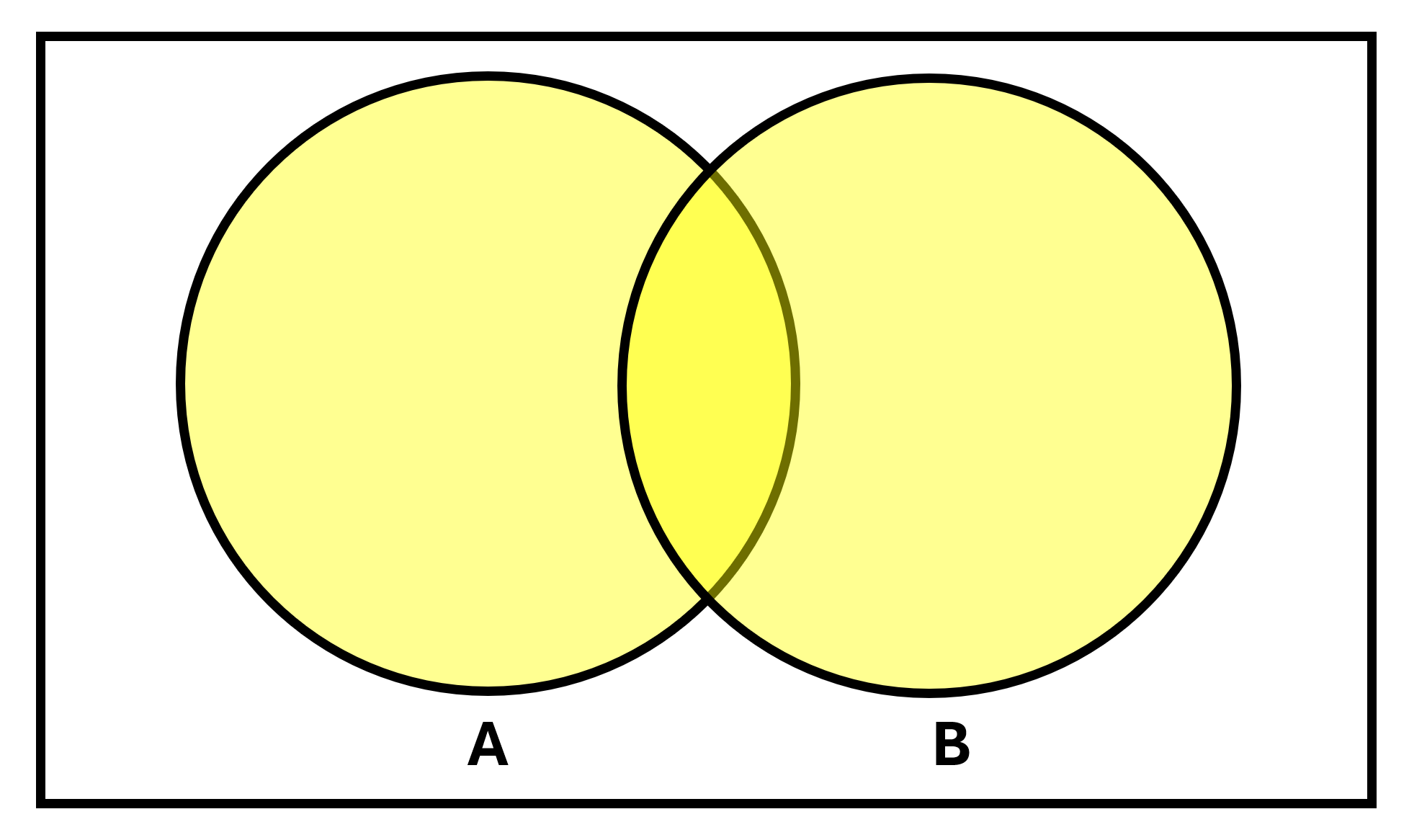
and whilst that is conceptually correct, it doesn’t reinforce that adequately enough that the contents of each circle is a set of data, and a set is a collection of distinct items. Thus people intuitively assume that each circle simply represents of the data in their tables which is not the case.





 Learning is not a spectator sport
Leave a reply to Duncan & Julie Cancel reply