Last year alongside the release of Oracle Database 23c, we made some UI changes to the documentation.

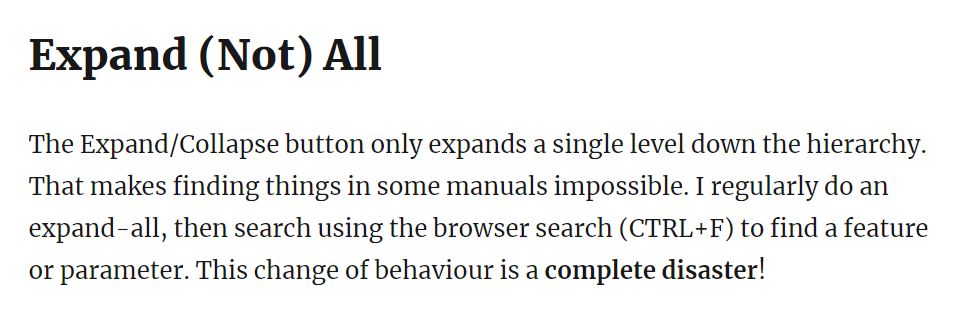
Tim Hall did a review of the changes and had one major criticism.
image

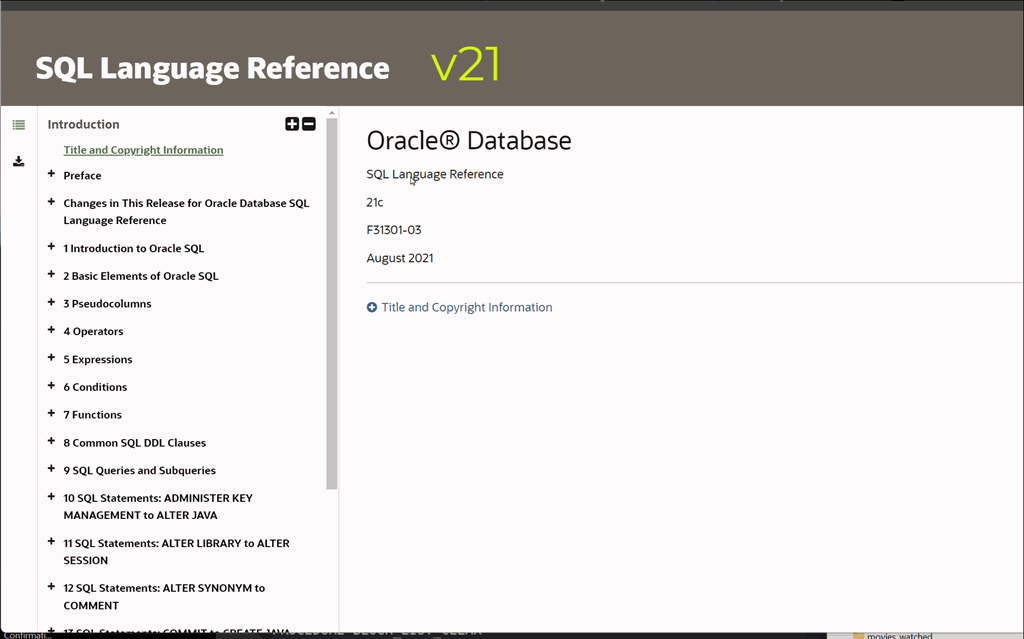
A number of people (both internal and external to Oracle) agreed with that sentiment.  If you looked at the way the docs worked before this change, you can see the typical behaviour that many of us would do, namely

  • launch the docs
  • immediately hit ExpandAll
  • either scroll or “Ctrl-F” to hunt for the desired topic

(In the GIF below, I was looking for the INDEX_SS hint).
 

docs_toc_v1

So when the docs were updated with a fresh new look, the removal of “Expand All” was definitely an interruption to the common workflow that many of us used. Conversely, we also had feedback from the community saying they liked that the docs now had a similar function to way the cloud documentation worked. It’s always hard to please everyone.

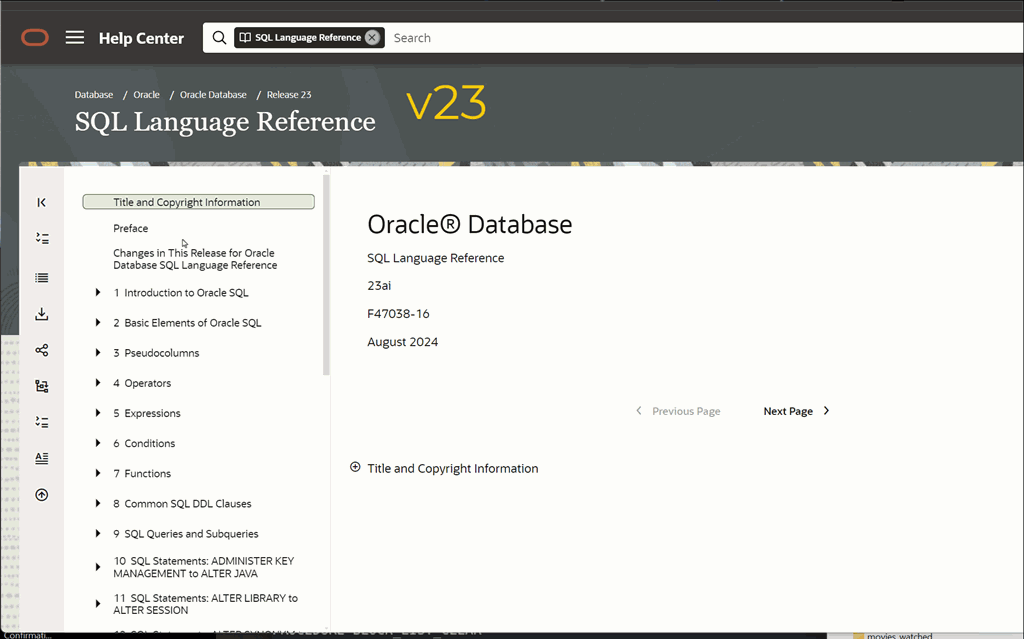
But hopefully we’ve got a middle ground for you. Whilst clicking on “Expand All” will still give just a single expansion, underneath the “Expand All” button there is a now a Table Of Contents button. That will display a fully fleshed out table of contents (including all sub levels) as a single page on the main panel. Thus the workflow will be:

  • launch the docs
  • immediately hit Table Of Contents
  • either scroll or “Ctrl-F” to hunt for the desired topic

which I hope you’ll find just as efficient as your previous method.
docs_toc_v23

5 responses to “Navigating the Oracle Database documentation”

  1. For years I have used bookmarks for those manuals I use the most, where I have simply replaced “index.html” with “toc.htm” in the bookmark link.

    If I opened a doc I didn’t have bookmarked, I’d alter the URL in the browser to “toc.htm” before using Ctrl-F. Now that’s just a click of a button, nice👍

  2. iudithd5bf8e4d8d Avatar
    iudithd5bf8e4d8d

    If already touching the Documentation topic …
    I am still an “old-fashioned”, who prefers to use downloaded PDF-s … not just for searching, but, yes, for reading and learning 🙂

    Since 23ai started to be released, we often see many of the documentation books having a new edition almost every month !
    This is different from the older versions.
    Usually it is not clear whether this was done for correcting some mistakes/bugs, or there are indeed new topics added to that book.

    In my opinion, it would be nice if the overall list of books on page

    https://docs.oracle.com/en/database/oracle/oracle-database/23/books.html

    could specify, along with each title, the month when the last edition was released,
    and, if possible, to also mark whether there are new features introduced in that edition or just corrections.

    Cheers & Best Regards and Enjoy your Cloud-World journey 🙂
    Iudith Mentzel

  3. Thanks for this improvement. I agree with Tim, in that search was limited with the ‘expand’ change.

  4. Connor :-),

    Based on your description I’ve discovered that the stuff from the version 12.2 to 23ai of oracle official documentations all added the expand all (collapse all) and Table of Contents (TOC) buttons.

    Massive thanks to your contributions!

  5. Hello Connor :-),

    Based on your description I’ve discovered that the stuff from the version 12.2 to 23ai of the official documentations all added expand all (collapse all) and Table of Contents (TOC) buttons now, this is very cool, toc looks like the total index page of this documentation also seems like the navigation pane in the office software word.

    Massive thanks to your post for makeing us know the improvement and enhancement of oracle docs. Thumbs up!

Leave a reply to iudithd5bf8e4d8d Cancel reply

This site uses Akismet to reduce spam. Learn how your comment data is processed.

Trending