This blog post is a slight departure from my normal Oracle content. As some of you know may know, I also host a YouTube channel with over 700 tech videos on the Oracle Database.
Our corporate editing tool is Camtasia, and as anyone that edits video knows, no matter how powerful your machine, video editing can bog your machine down to a crawl, especially if you’re dealing with large video files (eg if you have recorded an hour long webinar).
Here’s a quick tip to help the editing process.
On each large video in your Media bin, right-click and choose “Create Proxy” (and then go grab a coffee 😀). Camtasia will rip the video to an ultra-low quality version which (due to its smaller size) speeds up the editing process.

Each video that has a “proxy” video is marked with a yellow dot
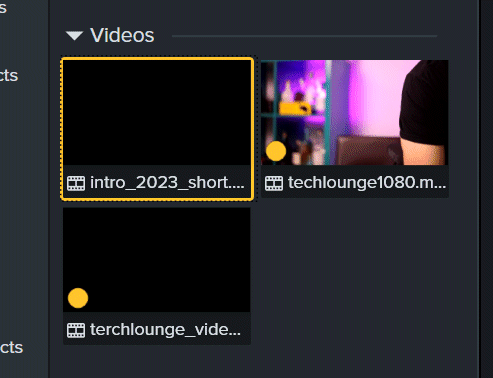
When you do the final render of the video to the finished product, Camtasia swaps in the original high quality video in place of the proxy video.
The question of why Camtasia struggles with video editing on my 64G RAM machine, high spec GPU and SSDs remains a mystery, but that’s a rant for another day 😀





 Learning is not a spectator sport
Leave a reply to fatmartinr Cancel reply