For the many cases, simply having an EXPLAIN PLAN function will do the job when it comes to tuning SQL. However, from time to time, you want to dig a little deeper and with APEX, that takes a little more care. Because APEX is a metadata-driven low code environment, the query you wrote to build your app is not the same query that APEX runs on your behalf.
For example, lets say I’ve built myself an interactive report with a simple query to the EMMPLOYEES table.
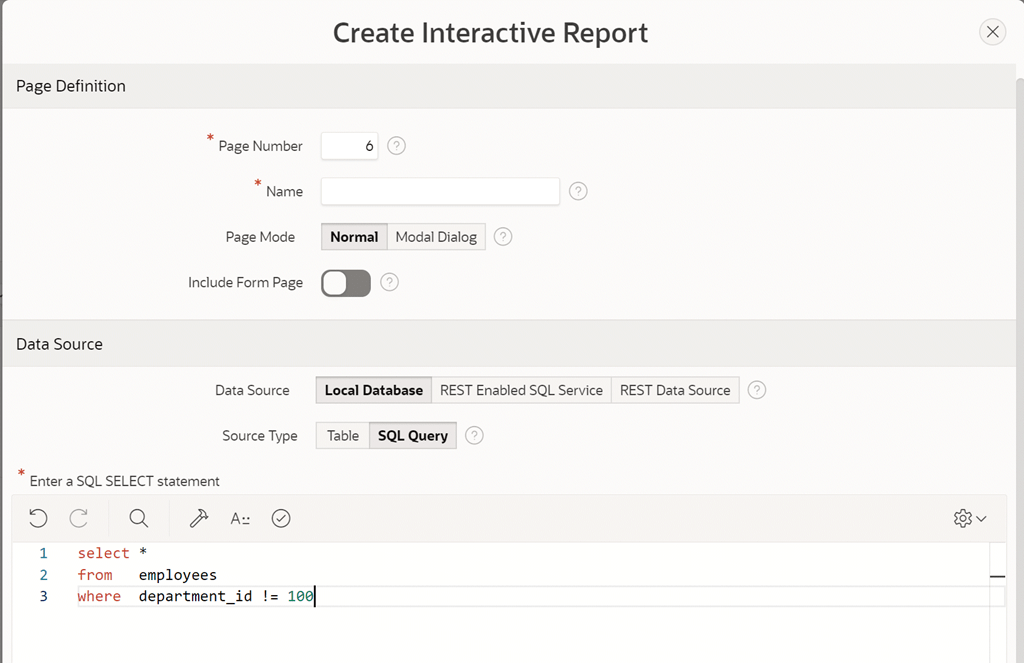
I might have run that query in SQL Workshop and it seems to perform fine, but perhaps I’m not seeing the same performance when the report is running within my app. The more feature-packed the region is (eg faceted search), the more APEX will augment your original query in order to provide the features needed on the page. This is a one of the beauties of a low-code environment – much of the SQL heavy lifting is done for you.
Thus in order to the see the true query that APEX ran, I can switch on debug and re-run the page to let me see the query that APEX ran on my behalf to support things like pagination, filtering, etc etc.

From the debug log, I can then take this query and start to look at how the true query runs in SQL Workshop, and look at its EXPLAIN PLAN output.

But often when I’m trying to tune a piece of SQL, a critical piece of the puzzle is comparing the estimated rows to the actual rows, so that I can see if the optimizer was working with good information. I’d like to be able to use the GATHER_PLAN_STATISTICS hint but in SQL Workshop to get the cursor output from DBMS_XPLAN, I’ll need the SQL_ID or I’ll need to save the entire sheet as a script so that it runs in a single trip to the database. That’s a little cumbersome for me.
To overcome this, I wrote a little procedure APEX_PLAN which takes your SQL as an input, automatically adds the GATHER_PLAN_STATISTICS hint, and runs the SQL in an anonymous block and sends back the plan statistics via DBMS_OUTPUT in the familiar command line style output format.

This lets me easily check the stats and make decisions on how to improve the SQL via optimizer statistics, or optimizer hints, or even recasting the base SQL that APEX used to build the runtime SQL.
If you think this will be useful for your own environments, you can grab the source from my git repo. It’s still very much a work in progress – I’d like to extend it so that you can just drop in pretty much any APEX region SQL source – but that will require bind variable support etc. Watch this space.
Update: The routine now has some rudimentary bind variable support as well, which should make it easier to simply paste in APEX generated SQLs that contain things like pagination binds etc.






Leave a Reply to JC PhillipsCancel reply