We’ve all been there… You head over to the Session Catalog for CloudWorld and you want to download the files for all of the sessions you have been to, and all of the sessions you have missed.
Then you discover… you need to click on each session to see the file name to download…. Ugh!
So you’ll be pleased to know someone has done the hard yards for you and trawled the catalog to get all the file names, session codes and titles to build the annual OCW mega-download shell script!
(“Thank you”s in terms of bottles of gin can be sent to Connor McDonald, care of, Oracle Perth 🙂 )
I can’t make any guarantees of correctness etc, because I did this by getting down into the JSON weeds, parsing out the web request responses to dig out the files and sessions, but hopefully it’s going to be mostly correct.
Currently, the downloads are available only to session attendees, so this mean you have SSO in with your attendee credentials. Thus the challenge here is then how to fold this into a script.
Here is how to proceed.
1) Go to the session catalog and click on any session. I’ve picked one of my mine as an example
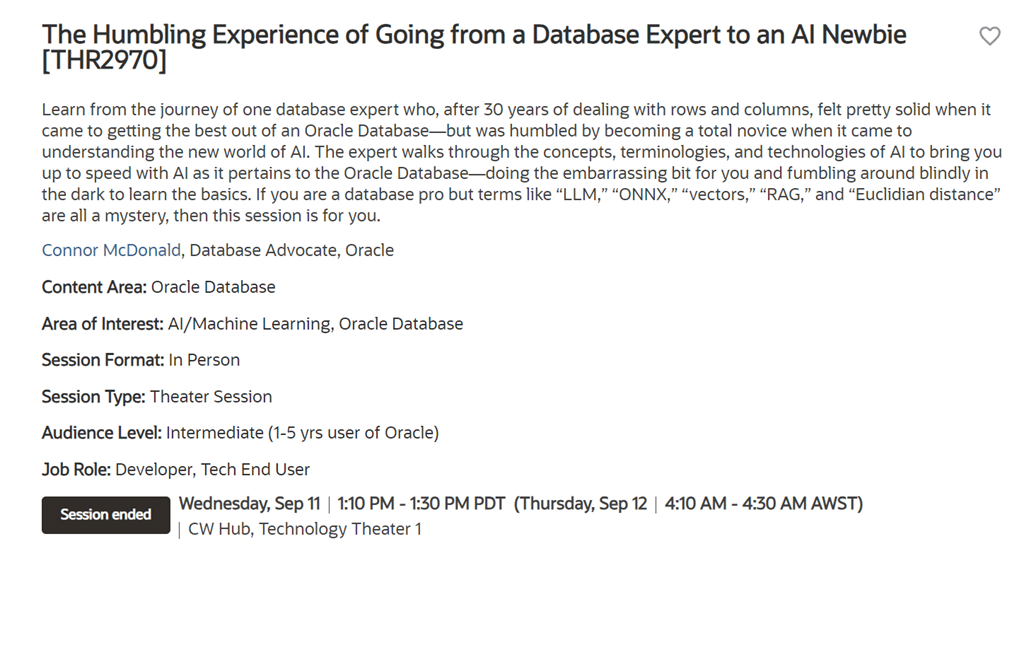
2) If you do not see a presentation download link, you need to SSO in with your CloudWorld attendee credentials.

Now we need to grab the cookie information for your browser session so that we can use it to download all of the sessions. Fire up Developer Tools, head over to the Network tab and refresh your page.
You’ll see lots of sources get populated. Head down to the find the one marked “session” with a POST method. Right click and choose “Copy as CURL (bash)”

Open up your favourite text editor and paste the clipboard. It will look something like the command below.

The key line we need here is the “Cookie” line, which is my case is on line 7. Copy-paste that to your clipboard.
Now grab two files from my github repo
1) List of all the presentations https://raw.githubusercontent.com/connormcd/misc-scripts/refs/heads/master/ocw_file_list
2) Shell script to download the presentations https://raw.githubusercontent.com/connormcd/misc-scripts/refs/heads/master/ocw_get_files.sh
Replace the cookie line in the script with the true cookie details from the ‘curl’ script your previously copied.
cat ocw_file_list | while read f1 f2
do
  echo $f1 $f2
  curl -o $f1 "$f2" \
    -H $'Cookie: ....'
done
Now you’re ready to run your script and grab all the great CloudWorld content! Each file will be named the session code (eg LRN1234) followed by the session title.
Enjoy!






 Learning is not a spectator sport
Got some thoughts? Leave a comment