Pop over to AskTom and you’ll see two entries that commonly pop up on our top 20 most viewed questions list.
 Because people new to Oracle can sometimes be a little overwhelmed with TNSNAMES file configuration and even for those experienced with it, it still becomes another configuration file that needs to be managed, deployed, updated etc, then an easier mechanism is the EZCONNECT syntax where you simply nominate host, port and service name.
But here’s a common trap with EZCONNECT (and a simple fix).
I’ll start with using a conventional TNSNAMES entry to connect to my database.
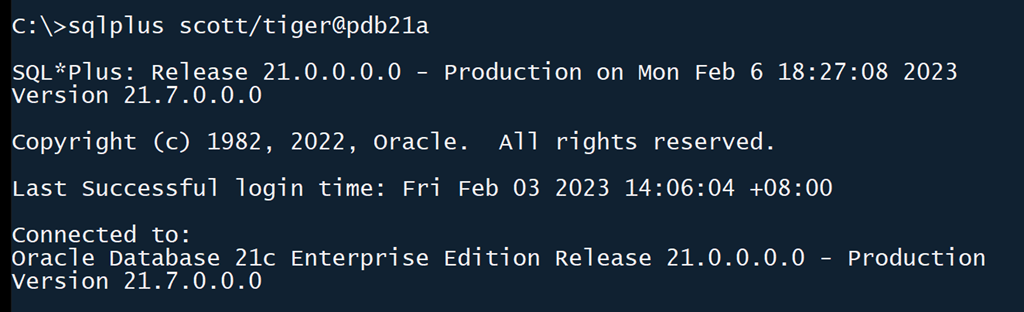
No problem there. Now I’ll take a look at the definition for PDB21A so that I can use EZCONNECT.
pdb21a =
  (description =
    (address = (protocol = tcp)(host = localhost)(port = 1530))
    (connect_data =
      (server = dedicated)
      (service_name = pdb21a)
    )
  )
Let’s now avoid that TNS entry and connect directly to the host, port and service.

Hmmm… maybe I need some quotes?

Still no luck. The key part of the error here is that the listener thinks it cannot resolve a TNS name which suggests that the text after the “@” is still being treated as a TNS entry and not the EZCONNECT syntax.
The solution here lies in what is contained in SQLNET.ORA
NAMES.DIRECTORY_PATH= (TNSNAMES)
NAMES.DIRECTORY_PATH defines what kind of connection methods are available. Because it is set to only TNSNAMES, then everything will be as a TNS entry. The fix is simple; we add support for EZCONNECT as well
NAMES.DIRECTORY_PATH= (TNSNAMES,EZCONNECT)
and we’re good to go.






 Learning is not a spectator sport
Got some thoughts? Leave a comment