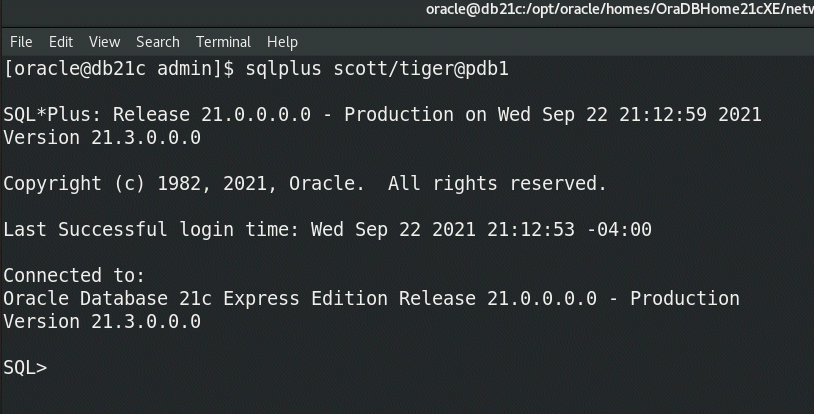
Hopefully by now you have seen the buzz about the release of 21c Express Edition (XE) and here’s a walkthrough on how you install it with just a few clicks.

But if you’re “old school” and like using a tnsname entry to connect to your database, there is one additional step that will make your experience easier.

Like all editions of 21c, XE uses the read-only Oracle Home layout, so your SQL*Net configuration files will be under the “homes” folder, not under the software defined ORACLE_HOME. Once you navigate there, your tnsnames.ora file will look like this:
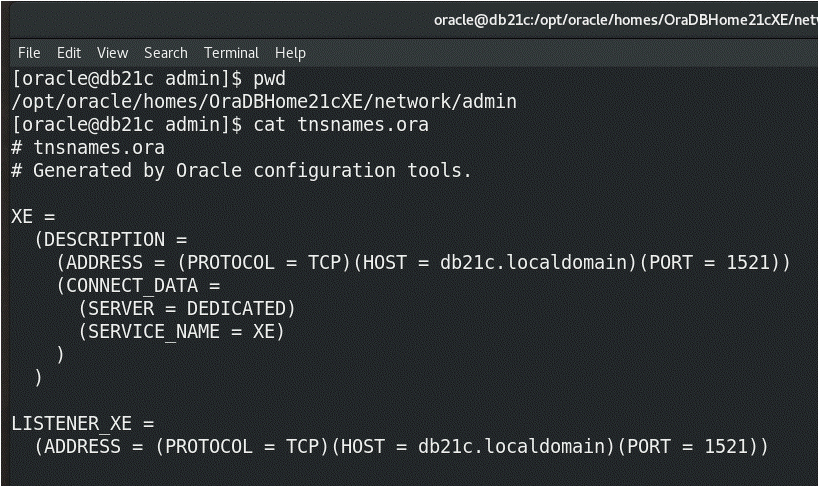
image

That looks fine, but don’t forget, XE is installed as a pluggable database so it will be rare that you want to connect to the XE service, because that is the root container.  The service (and pluggable) where you will most likely be doing your development is the XEPDB1 pluggable.  Thus you should add an entry similar to the following to make it easy to connect to your pluggable database.
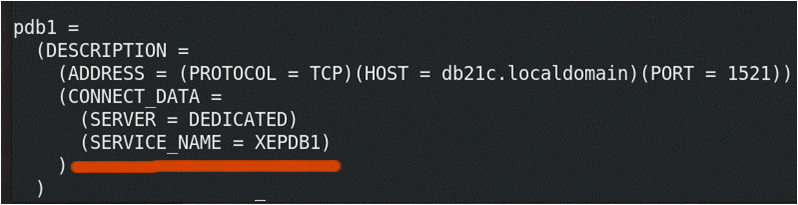
image

and voila! You are good to go!

image

Enjoy XE!

4 responses to “21cXE – post install tip”

  1. Nice to have 21c XE, I tried to download the Windows version, but it redirect me to Linux, its windows.exe available? Thx

  2. hi Connor
    i was able to connect to my PDB following your easy installation and after install tip but when I restarted my CentOS 7 VM now it is not connecting to XEPDB1

    i issued 2 ‘ Alter Pluggable Database ‘ commands ( as below ) but still failed to connect using sys/ora1234@xepdb1

    in my .bash_profile i added following environment variables which can only enable me to run sqlplus, also i have to issue command ” . oraenv ” manually to connect to XE (CDB) but this also not allowed me to connect to PDB.

    environment variables:
    export ORACLE_BASE=/opt/oracle/
    export LD_LIBRARY_PATH=$ORACLE_BASE/product/21c/dbhomeXE/lib
    export ORACLE_HOME=$ORACLE_BASE/product/21c/dbhomeXE
    export PATH=$ORACLE_BASE/product/21c/dbhomeXE/bin:$PATH
    export PATH=/usr/bin:$PATH
    export ORACLE_SID=XE

    alter commands as per oracle documents:

    alter PLUGGABLE DATABASE ALL OPEN;
    alter PLUGGABLE DATABASE ALL SAVE STATE;
    this is same problem i am facing in 18c XE. please help to connect and start Apex 21 + ORDS 21 installation and development.

    regards

    1. Check if your listener is running

      lsnrctl status

Got some thoughts? Leave a comment

This site uses Akismet to reduce spam. Learn how your comment data is processed.

Trending