Content on Upgrades isn’t my normal thing but the reason I’m talking about AutoUpgrade is a simple one. My good friend Mike Dietrich and I were in India recently for the Yatra tour and he did a talk about patching and AutoUpgrade. And right there, in front of the audience, and he shamed me 🙂
He said “Connor do you use AutoUpgrade?” and I had to admit that I didn’t.
So I thought – it is time for this dinosaur to try it. I’d heard and read lots of amazing things about AutoUpgrade but I thought rather than read the docs, plan it out carefully etc (which I recommend everyone to do) I’m going to do as if I’m a total newbie and see if I could get it to work.
I’m now showing some screen dumps here of the mistakes I made so that you don’t have to hit them as I did.
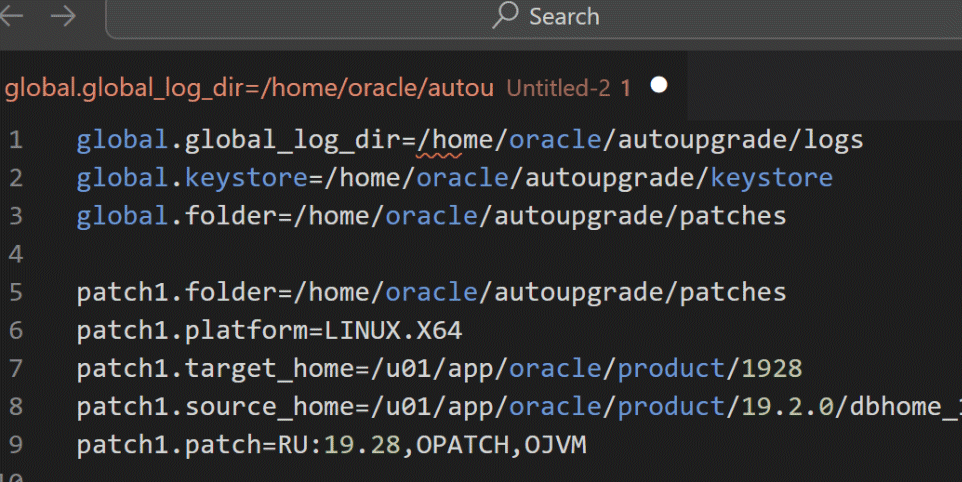
The first thing I googled for was an AutoUpgrade config file. If you read Daniel’s post you can see that I did not need a lot of the entries in the file, but in newbie mode, most people would start with whatever they fine on Google, so I’ll do the same.
Next thing to be aware of is that most search tools will incorrectly tell you that you have to get AutoUpgrade from My Oracle Support (MOS).
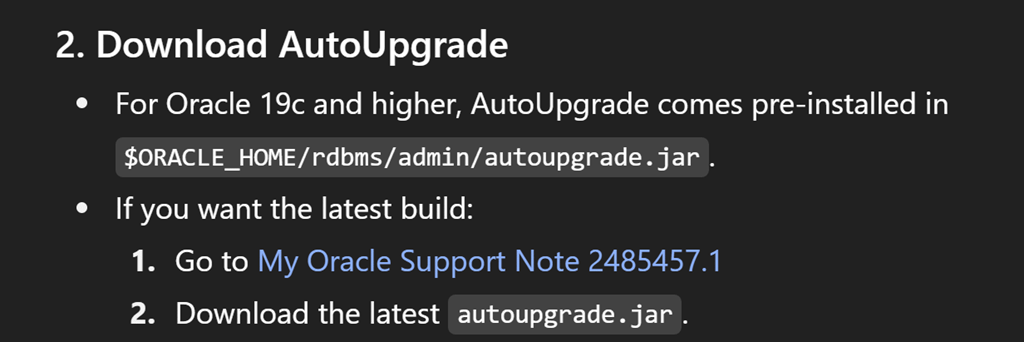
But you can just download directly it now without any need for MOS access. (Of course, you will need a MOS account to download supported patches).

One of this nice things is that AutoUpgrade can download the right patches for you, but to do so I need to let it know how to contact MOS. I used the “load_password” option for that.

Then I ran it for the first time in download mode, and it grabbed the patches I needed and automatically grabbed the latest OPatch. Nice!

Then I ran AutoUpgrade in analyze mode and on my first attempt it bombed out.

My config file is missing which particular database I wanted to patch. I added that to the file and I ran analyze again and that bombed out again.

My database is not running. For AutoUpgrade to check for all required prerequisites, it needs to query the database. I started my database and I ran analyze again … and that bombed out again.

AutoUpgrade (quite correctly) follows best practice to do out of place patching and upgrades, and therefore it creates a brand new ORACLE_HOME location. In order to do that it needs the base image for 19c so once that was in the patches folder, analyze then ran without errors.

Now I can look in the analyze logs to see if there anything I need to do. Since this is just a play-thing VM not a real system, this database is not in archivelog mode. AutoUpgrade tells me that I need to make a change to my configuration file about restore options, because if my database isn’t in archivelog mode then I can’t do things like restore points and flashback to handle fallback if the patching fails. (Every real production should be using archivelog)

Then came the leap of faith – I run AutoUpgrade in deploy mode and off it goes.
After a coffee, I came back and it was done!

Then the big moment of truth. Is my database patched? Is it there at all?!?!
My Oracle home is still set to the old Oracle one so I do need to rerun ORAENV in order to pick up the fresh environment.

And voila! There we have my database fully patched to 19.28
I must admit, it is so much simpler just to have a config file and run AutoUpgrade than
- to go looking for patches,
- remembering to get the latest OPatch,
- doing all the prerequisites,
- doing the post-patch steps
plus the myriad of other steps you have to do to ensure successful patching.
The more steps you have, the more chances you have of making a mistake. That is just stress you don’t need in the middle of patch cycle.
AutoUpgrade is definitely the way to go. Thanks Mike!
If you want to see the full end to end AutoUpgrade process, here’s the entire video of my efforts




Leave a Reply